



Introduction — When Business Systems Don’t Work Together
A business can have good software for finance, an effective sales team, a well-organized warehouse and a reliable procurement process, yet still struggle to get a complete picture of its operations.
The problem is not always the systems themselves. Sometimes, it is the way they work together.
A sales team records a customer order, but the warehouse works with different information. Finance needs to confirm whether an invoice has been issued, while procurement is trying to understand upcoming requirements. Management wants to review business performance but has to collect data from several applications before preparing a report.
When information moves between systems through spreadsheets, emails or manual data entry, even routine activities can take longer than they should.
For growing businesses, these gaps can create duplicated work, inconsistent records and delays in decision-making. They can also make it harder for employees to understand how their work affects other departments.
This is where ERP integration becomes important.
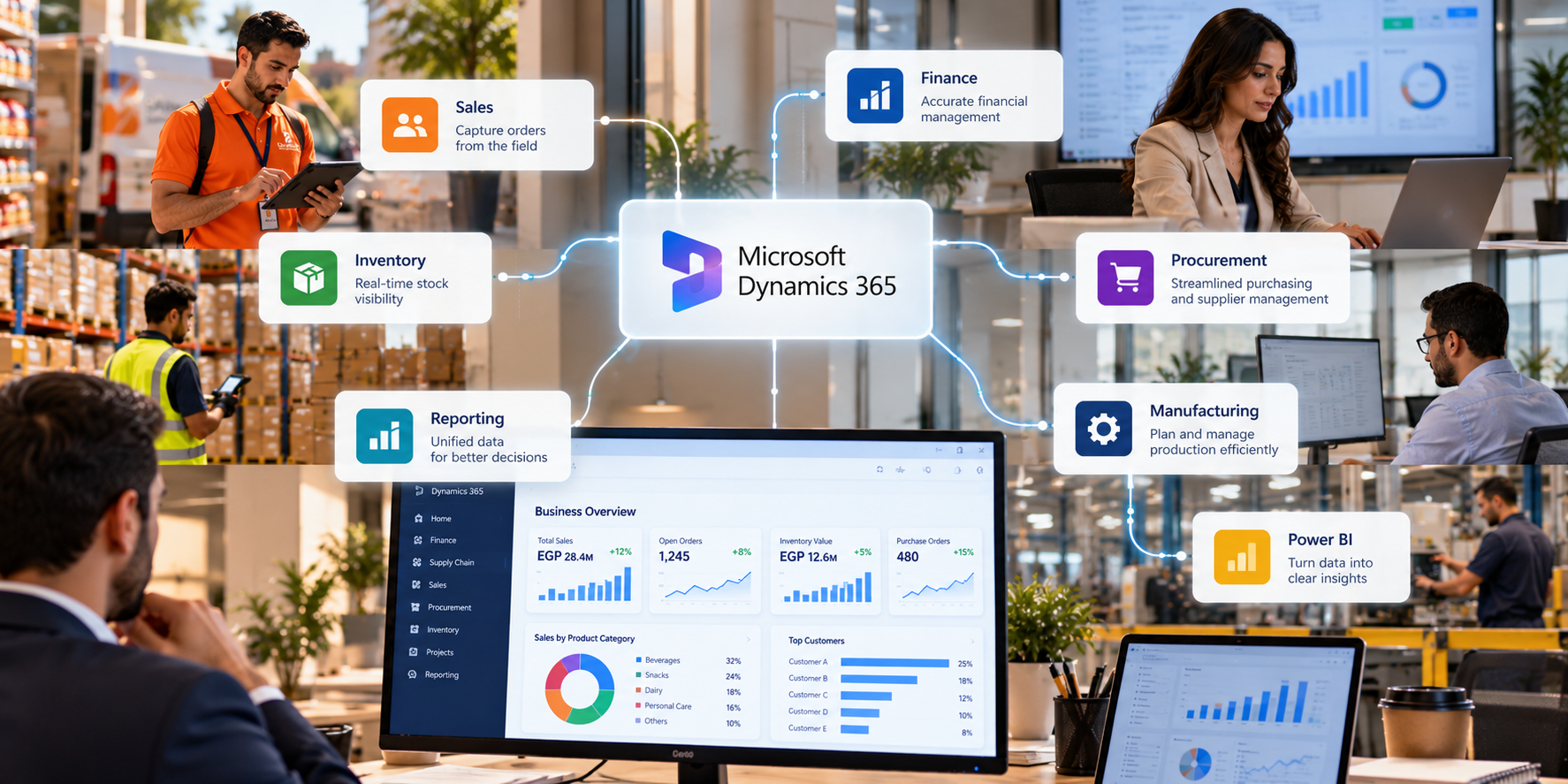
Microsoft Dynamics 365 provides ERP applications that help businesses manage core financial and operational processes. When these applications are properly integrated with other business systems, organizations can connect workflows, improve information sharing and establish a more consistent view of their operations.
The goal is not simply to connect more software. It is to make the business work more smoothly as a whole.
What Is ERP Integration?
ERP integration is the process of connecting an Enterprise Resource Planning system with other applications, platforms and business processes so that relevant information can move between them.
An ERP system typically supports core activities such as financial management, procurement, inventory and supply chain operations. However, many organizations also use separate applications for customer relationship management, field sales, reporting, e-commerce and other specialized functions.
Without integration, employees may need to enter the same information into multiple systems or switch between applications to complete a single task.
Consider a distributor that uses a field sales application to capture customer orders. The sales representative records an order at the customer’s location, but the back-office team must enter the same information into the ERP system before processing it. This creates an additional step and introduces the possibility of errors or delays.
With an appropriate integration, order information can flow between the systems according to the agreed business rules, reducing duplicate data entry and helping the relevant teams access the information they need.
The same principle applies to customer records, product information, inventory transactions, invoices and financial reporting.
Microsoft Dynamics 365 supports integration with other Microsoft applications and external systems through technologies and services that may include Microsoft Dataverse, Power Platform, APIs and other integration approaches. The right method depends on the applications involved, the type of data being exchanged and the business requirements.
ERP integration is not about forcing every business activity into one application. It is about ensuring that the systems an organization relies on can work together effectively.
Where Businesses Lose Time Without Connected Systems
Disconnected applications often create problems that seem small at first.
An employee updates a customer record in one system but forgets to update it elsewhere. A sales order needs to be checked manually before the warehouse can process it. Finance receives information later than expected, while management spends time reconciling reports that show different figures.
As the number of systems and transactions increases, these problems can become more difficult to manage.
Some of the common challenges include:
- Duplicate data entry: Employees enter the same customer, product or transaction information into multiple applications, increasing workload and the risk of mistakes.
- Inconsistent information: Different departments may work with outdated or conflicting records, making it harder to establish a reliable view of business activity.
- Delayed order processing: Orders captured in one system may require manual transfer or verification before the next team can act.
- Limited inventory visibility: Sales, warehouse and procurement teams may not have access to the same relevant stock information.
- Disconnected financial processes: Finance teams may need to collect transaction details from several systems before reconciling accounts or preparing reports.
- Manual reporting: Employees spend time extracting, combining and checking data rather than analyzing business performance.
- Complex workflows: A process that involves several departments can become unnecessarily slow when employees must repeatedly switch applications or request updates.
These challenges can affect businesses across different industries. They are particularly relevant to organizations with multiple departments, branches, warehouses or sales channels that depend on consistent information to operate effectively.
As a business grows, adding another application may solve one specific problem while creating new integration requirements elsewhere.
Without a clear integration strategy, the overall technology environment can become more complicated instead of more efficient.
How Microsoft Dynamics 365 Integration Helps Businesses Work Better
When business systems are properly connected, employees can spend less time transferring information and more time acting on it.
Microsoft Dynamics 365 can serve as the central platform for core financial and operational processes while integrating with other applications where needed. This allows businesses to design connected workflows around their actual requirements.
For example, integrating a sales application with Dynamics 365 can help connect customer orders with relevant back-office processes. Depending on the integration design, order information can be exchanged with ERP workflows supporting fulfillment, invoicing and financial recording.
This is especially useful for businesses managing field sales and distribution. Representatives can focus on customer visits and order taking, while the back-office team works with connected transaction information instead of relying entirely on manual re-entry.
Inventory integration is another important area. When relevant product and inventory information is shared between systems, sales, warehouse and procurement teams can coordinate their activities more effectively. The information available to each team will depend on the integration design, data synchronization and system configuration.
Financial integration can also improve coordination. Connecting relevant operational transactions with finance processes can help reduce manual handling and support more consistent financial records. However, integration does not automatically eliminate reconciliation or control requirements; these still need to be designed into the business process.
Reporting is another area where connected systems can make a difference. When data is made available through an appropriate reporting architecture, organizations can analyze financial and operational performance without relying entirely on manually assembled spreadsheets. Microsoft Power BI can be used to build dashboards and reports from supported data sources.
Microsoft’s integration technologies also provide different ways to connect applications. For example, Microsoft Dataverse and dual-write can support selected bidirectional data synchronization scenarios between finance and operations applications and Dataverse-based applications. APIs and other integration services may be more appropriate for different requirements. Not every integration needs the same approach. <Cite refs={[“turn821191search3″,”turn821191search6″,”turn821191search13”]}/>
There is one important consideration: integration should be planned around business processes, not just technical connections. Organizations need to determine which system owns each record, how frequently information should be exchanged, how errors are handled and which users can access specific data.
When these decisions are made carefully, integration can help reduce information gaps and make everyday workflows easier to manage.
What Microsoft Dynamics 365 Integration Brings to Your Business
Microsoft Dynamics 365 provides a flexible foundation for connecting business processes across ERP applications and other systems. BI-Technologies helps businesses explore Microsoft Dynamics 365 solutions and integration approaches based on their operational requirements.
For organizations looking to improve how their systems work together, relevant integration scenarios may include:
- Sales & ERP Integration — connect relevant sales activities and customer orders with back-office processes to reduce duplicate entry and improve coordination between commercial and operational teams.
- Finance & Operations Integration — connect relevant operational transactions with financial processes to support more consistent records and better visibility into business activity.
- Inventory & Warehouse Integration — exchange relevant product, stock and warehouse information to help teams coordinate inventory movements and fulfillment activities.
- Procurement & Supplier Processes — connect purchasing workflows with relevant supplier, inventory and financial information to improve process coordination.
- Business Intelligence & Reporting — use Microsoft Power BI and appropriate data connections to turn business information into reports and dashboards that support decision-making.
- Microsoft Power Platform Integration — use suitable Power Apps, Power Automate and Dataverse capabilities to extend workflows and connect supported business applications.
- Third-Party System Integration — connect external applications through appropriate APIs and integration services, based on compatibility, security and business requirements.
For example, a business using SalesBuzz for field sales and Microsoft Dynamics 365 ERP for back-office management may benefit from connecting relevant order, customer or product information between the platforms. The exact data exchanged and the degree of automation would depend on the agreed integration scope and technical design.
The value comes from creating a connected process that works for the business, rather than simply establishing a technical link between two systems.
BI-Technologies can help organizations assess their requirements, identify integration opportunities and determine an appropriate approach for connecting Microsoft Dynamics 365 with their existing business applications.
Conclusion — Better Integration Starts with Better Connections
Business systems are most useful when they support the way an organization actually works.
When applications operate in isolation, employees spend more time transferring information, checking records and coordinating tasks manually. Departments may have access to different versions of the same information, making it harder to maintain consistency across the business.
ERP integration helps address these challenges by connecting relevant systems and workflows.
With Microsoft Dynamics 365 and an appropriate integration strategy, businesses can improve coordination between sales, finance, inventory, procurement and other operational functions. They can also create a stronger foundation for reporting, process automation and future technology investments.
The objective is not to eliminate every separate application. It is to ensure that the applications a business needs can work together securely and reliably.
For organizations looking to simplify operations and improve visibility across departments, Microsoft Dynamics 365 integration can be an important step toward a more connected business environment.
Ready to Connect Your Business Systems?
Talk to the BI-Technologies team to discuss your integration requirements and explore how Microsoft Dynamics 365 can work with your existing business applications.
👉 Request a Consultation: Contact BI-Technologies